
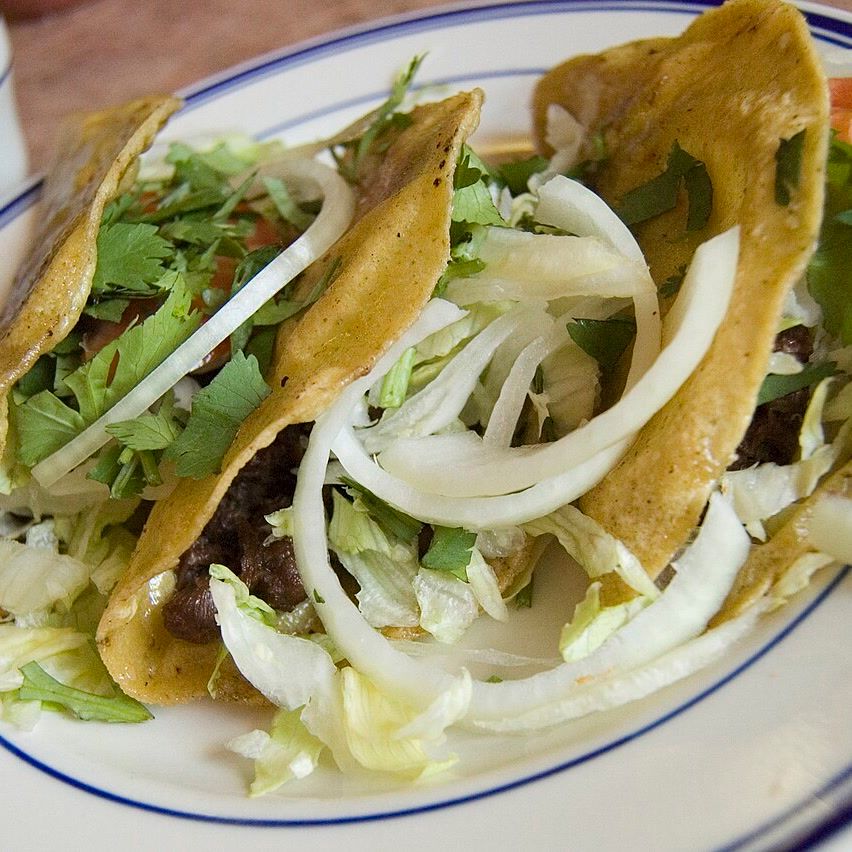
Keep every recipe you mean to cook in one place as written text, sort it into a few broad collections, and rely on search by ingredient for the rest.
Why saved recipes get lost
Most people’s recipes don’t live in one place. A few are in TikTok Favorites, more in Instagram’s Saved, some in a YouTube playlist, a handful of blog pages in browser bookmarks, and a camera roll full of screenshots. Each app keeps its own list, none of them talk to each other, and none of them can answer “what can I make with what’s in the fridge?”
Organizing them is less about clever folders and more about two decisions: where the one copy lives, and what form it’s in.
Pick one home
Choose a single place for every recipe you intend to cook. It can be a notes app, a document, a binder or a recipe app. What matters is that it’s one place, and that you stop treating the platform bookmarks as your library. Those are fine as an inbox, the “maybe” pile you scroll through when you’re looking for ideas.
A simple routine keeps the two apart:
- Save freely in the apps while you scroll.
- Once a week, open your saves and pick the ones you really want to cook.
- Move those into your one home as written recipes, with the original link attached.
- Remove them from the platform saves, or leave them. They’re no longer the copy you depend on.
Store recipes as text, not links
A link or a screenshot points at a recipe. A written recipe is one. Text is what lets you search by ingredient, copy the ingredients onto a list and read the steps at the counter. Links can also stop working: a deleted video or a private account takes the recipe away with it.
The guides on saving from TikTok, Instagram and websites cover how to get a written copy from each source.
Collections that stay useful
Collections are where most systems go wrong, usually by having too many. A few rules help:
- Go broad first. “Weeknight”, “Weekend projects”, “Baking”, “Soups”, “For guests”. You can split one later if it gets too long.
- Organize by when you’d cook it. “Quick weeknight” is more useful on a Tuesday than “Chicken”.
- Let a recipe sit in more than one. A traybake can be both “Weeknight” and “For guests”.
- Keep a “To try” collection. New saves go there until you’ve cooked them once. Then you either keep it or delete it.
- Leave the rest to search. You don’t need a “Recipes with lemon” collection if you can search by ingredient.
Naming recipes
Give each recipe a title you’d actually search for. “Crispy chilli tofu” beats “Viral tofu” or the creator’s handle. If the source called it something vague, rename it when you save it.
Where manual systems struggle
Notes apps and binders work, and they’re free. Where they struggle:
- Ingredient search is rough. A notes app finds the word “tahini”, but it also finds the note where you wrote “out of tahini”.
- No structure. Plain text doesn’t know which line is an ingredient, so you can’t scale or build a shopping list from it.
- Retyping. Every recipe has to be written up by hand, which is the step that keeps people from moving recipes at all.
Organizing in StoveTop
StoveTop for iPhone is built around keeping one written copy of every recipe, wherever it came from:
- One library for every source. Share a link from TikTok, Instagram, YouTube or Safari, or paste it in the app, and it becomes a written recipe with ingredients and steps, plus a link to the original.
- Search recipes or ingredients. The library search matches recipe titles and ingredient names, and every word you type has to match, so “chickpea spinach” narrows the list.
- Collections. Create your own, add a recipe to as many as you like, and filter the library by collection.
- Newest first. The library is sorted by when you saved each recipe, so cooking something doesn’t shuffle your list around.
- A shuffle for undecided nights. It picks a recipe from your library or from one collection, and can be limited to recipes under 30 minutes or ones you haven’t cooked yet. Rolling again skips the recipe it just showed whenever there’s another one to pick.
- A cook log. Mark a recipe as cooked, add a photo if you like, and see how often you’ve made it.
Recipes can be kept in English or Indonesian, or in each recipe’s original language, so a library built from sources in different languages can still read consistently.
Once your recipes are in one place, planning gets easier too: pick a few for the week, set the servings, and send them to one shopping list grouped by aisle.
More about the app is on the StoveTop home page.
Common questions
How many collections should I have?
Start with five to eight broad ones and add more only when one gets too long to scan. A recipe can sit in more than one, so you don't have to pick a single right answer.
Should I keep the original video or post?
Keep a link to it for technique, but don't rely on it as your only copy. Posts can be deleted or made private, and a written copy can be searched and scaled.
What should I do with recipes I never cook?
Review your collection every few months and delete what no longer appeals. A shorter library is easier to search and easier to choose from.
Can StoveTop pick a recipe for me?
Yes. The shuffle picks a recipe from your whole library or one collection, and you can limit it to recipes under 30 minutes or ones you haven't cooked yet.
More guides
All guides
Photographs of dishes from open collections, credited at the foot of the page.